01Guest booking
“Two people paid for the same daybed.”
No double bookings
A booked table shows as taken for everyone straight away: online, at the POS and on your team’s dashboard.


Guests pick the exact daybed, cabana, VIP table or dinner table they want and pay online in a few clicks. Your team handles bookings, walk-ins, check-in, payments and refunds from one dashboard.
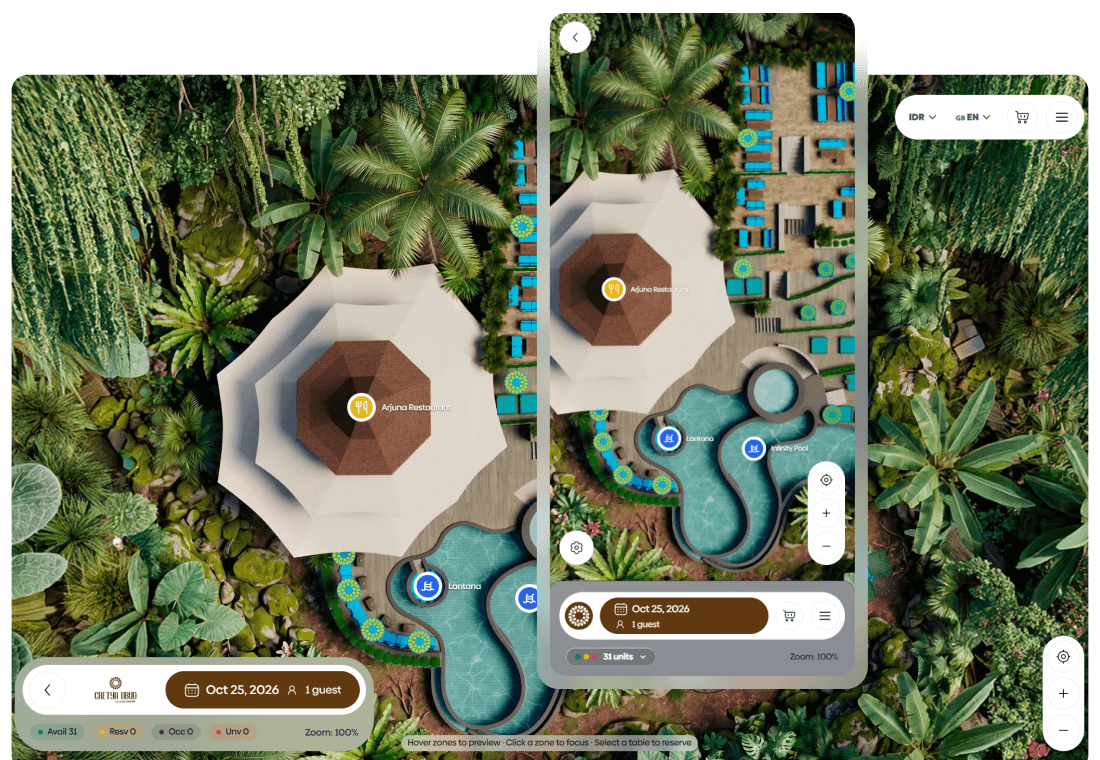
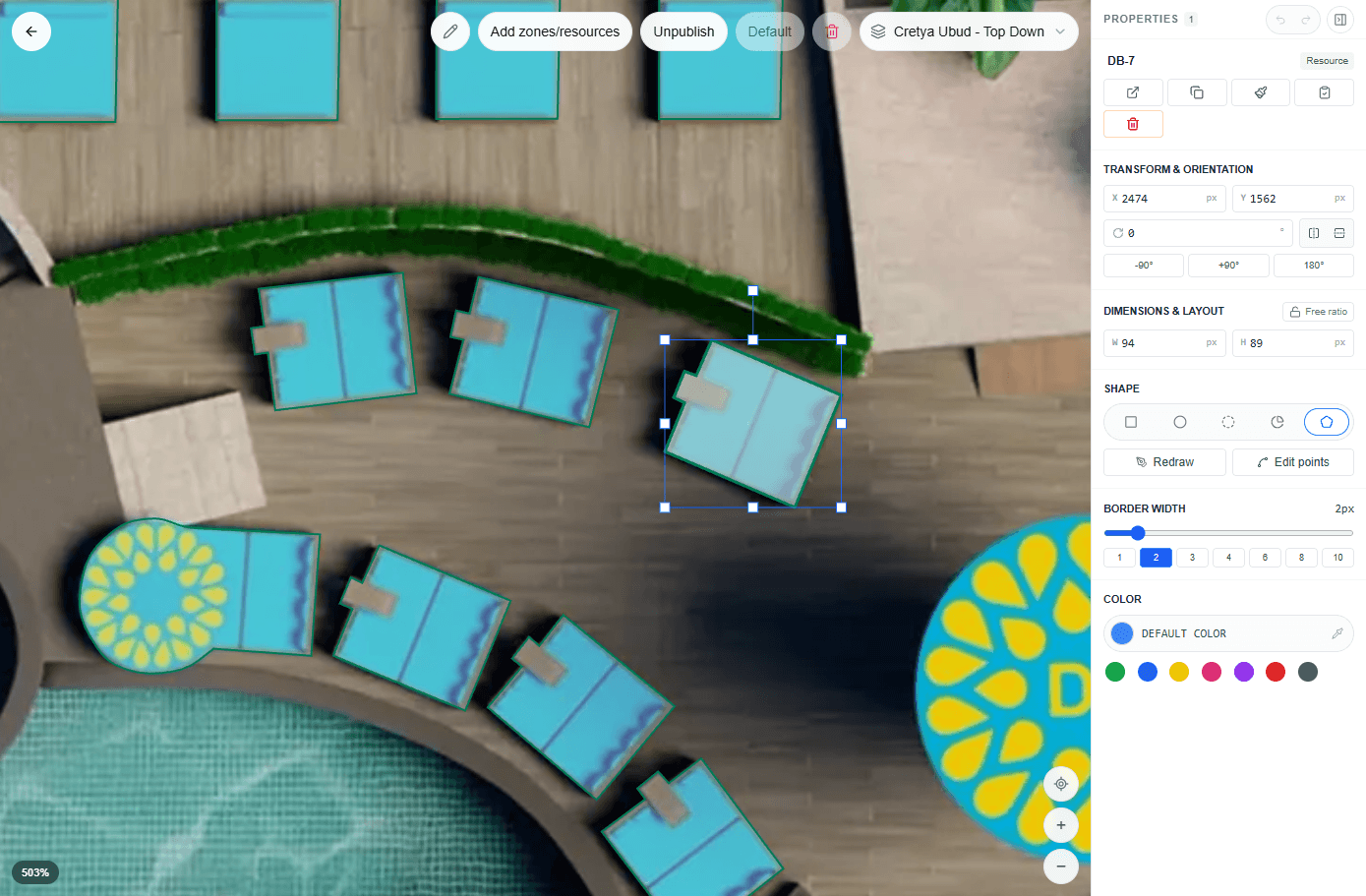
We draw your real layout: zones, table types, capacities, packages and prices. We set up table types that match how your venue sells.
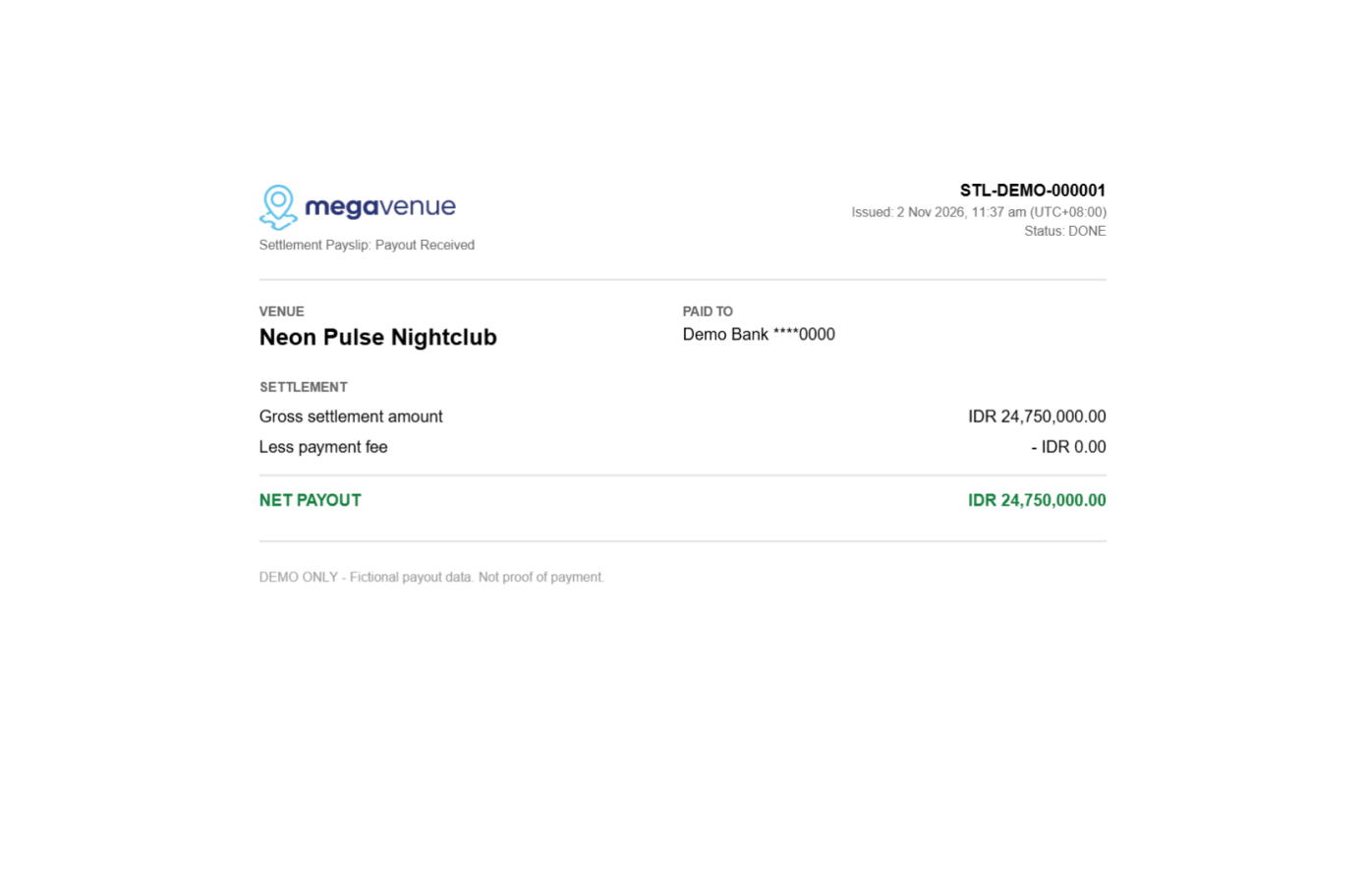
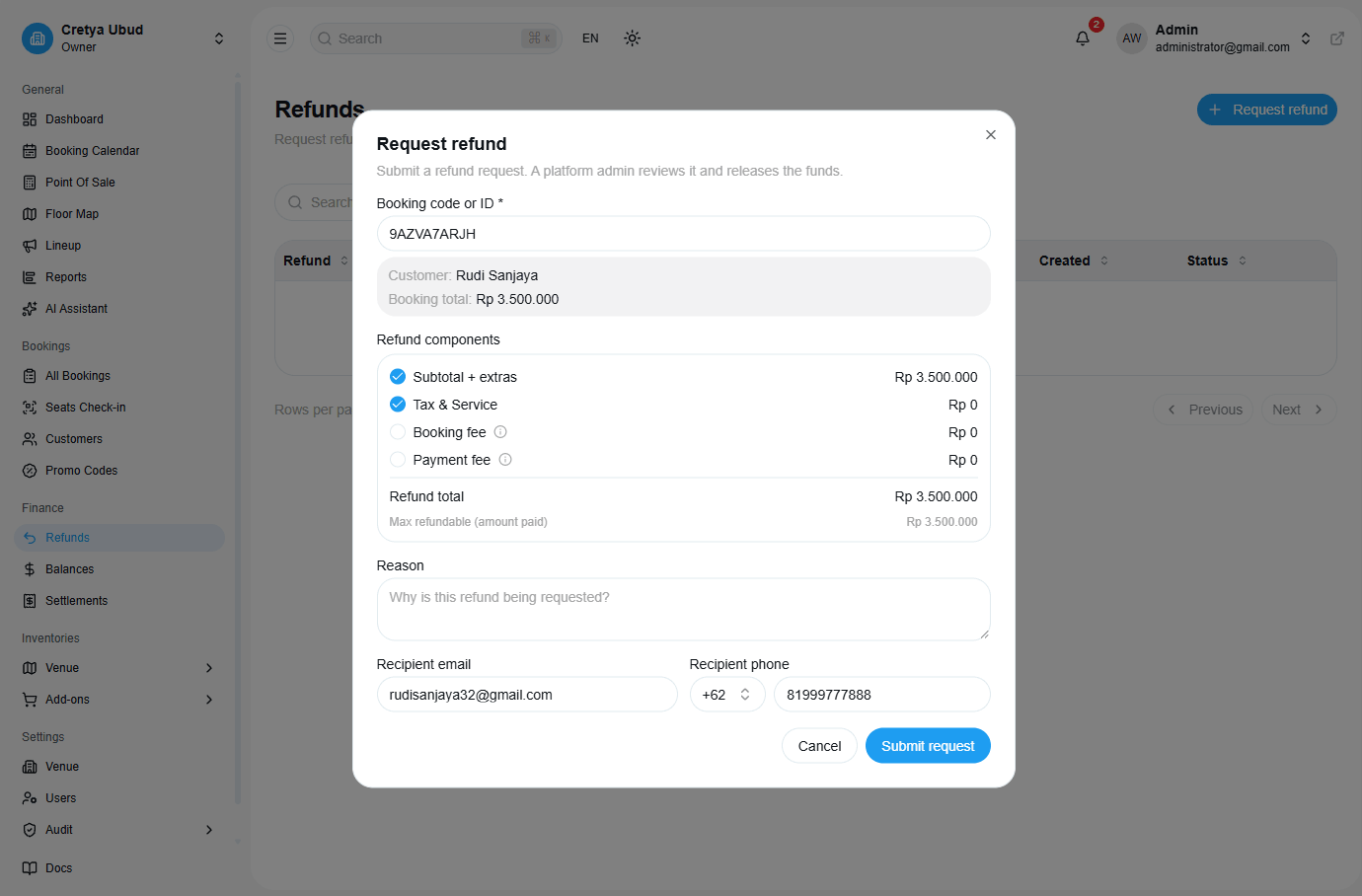
Guests pay by card, e-wallet, bank transfer or QR, depending on your country. You see payments live, receive settlements with a payslip, and request a refund in a few clicks.

Every venue sells space differently. We set up table types that match how you sell, then fit them to your real layout, sessions and packages.
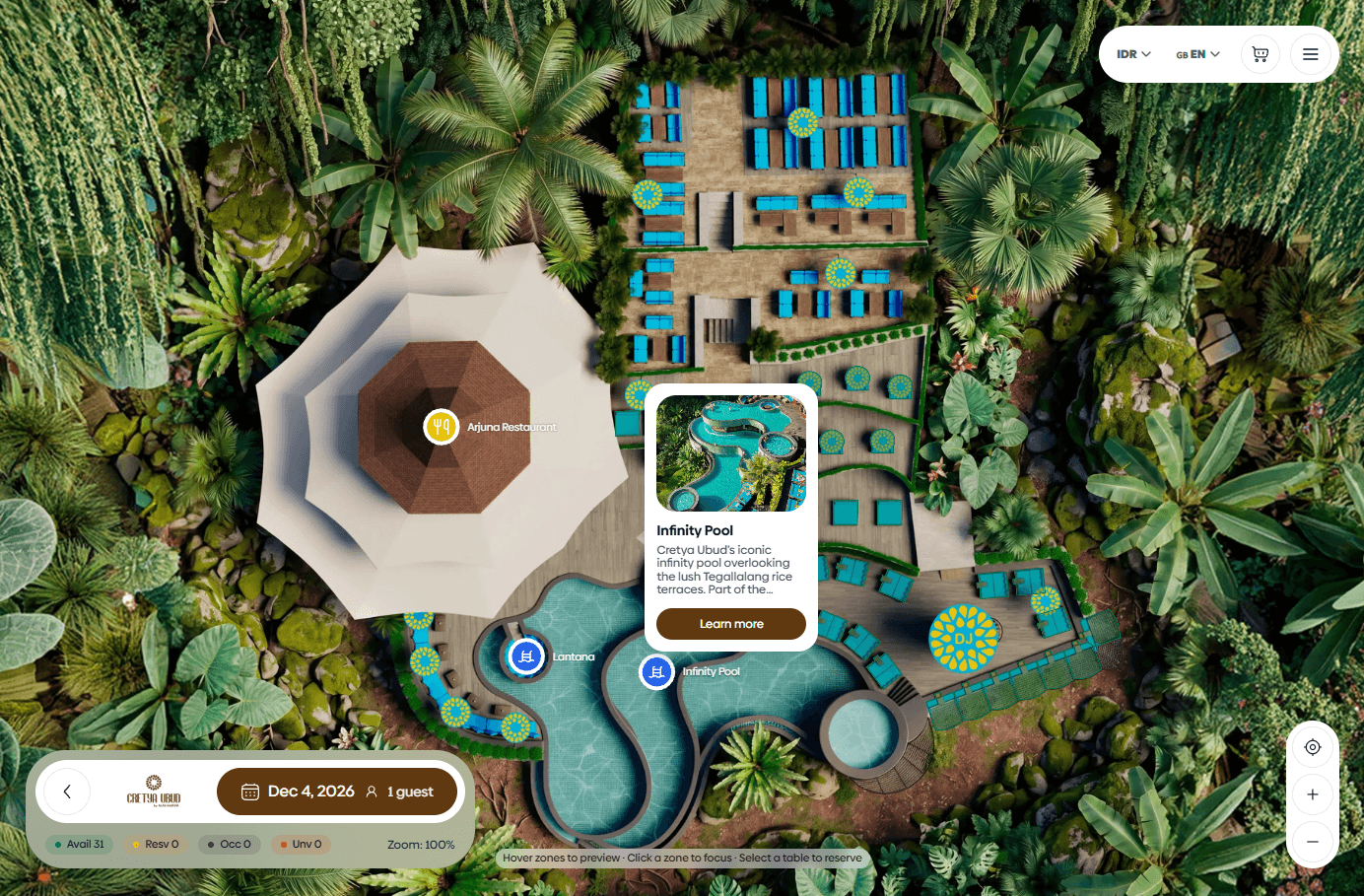 Live availabilityDaybeds, cabanas, pool beds
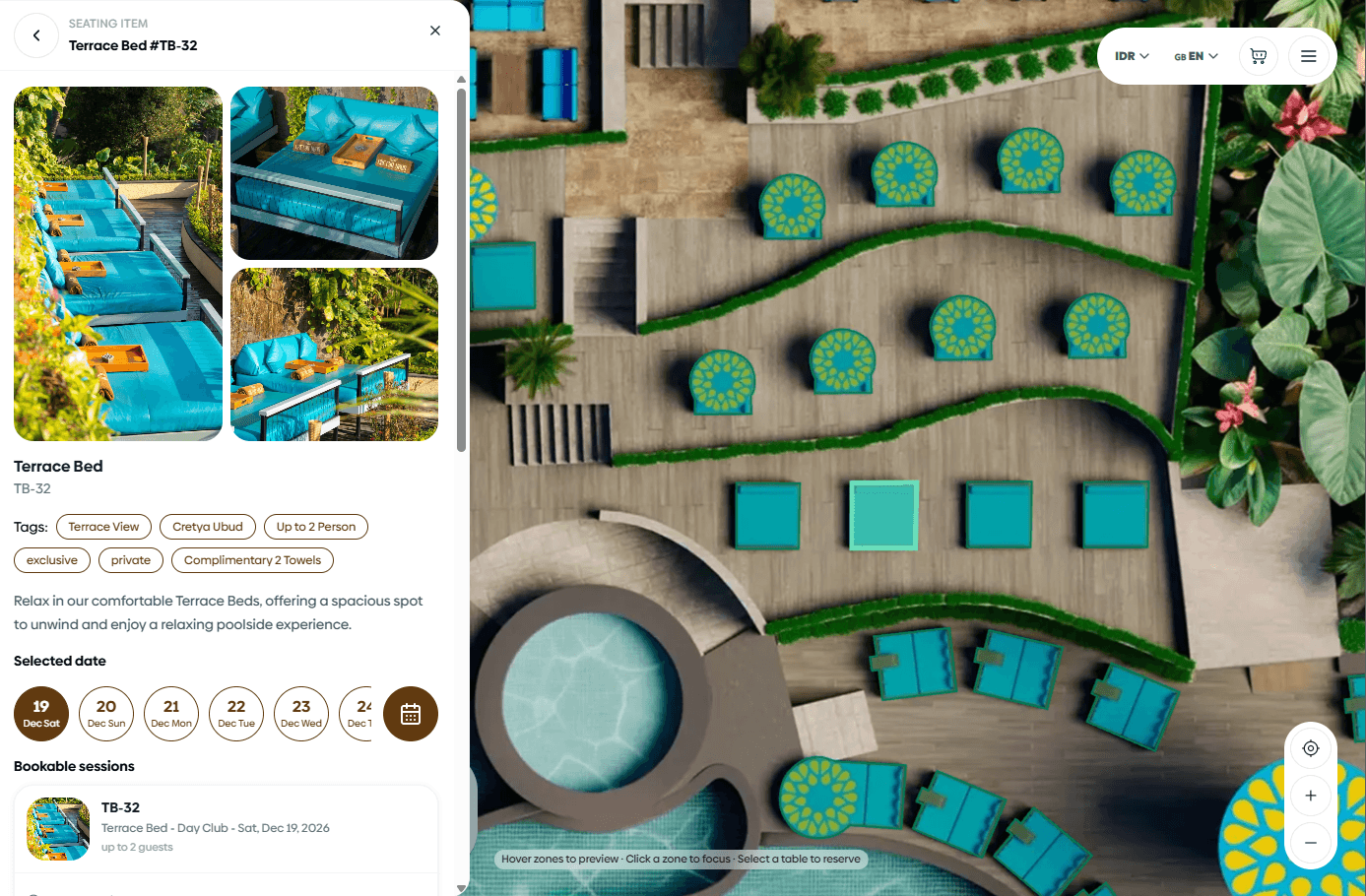
Guests choose a spot, review their total and find their booking after checkout.


Guests see your real layout with live availability and choose the daybed, booth or table they want. They can browse several floor maps to find their spot.

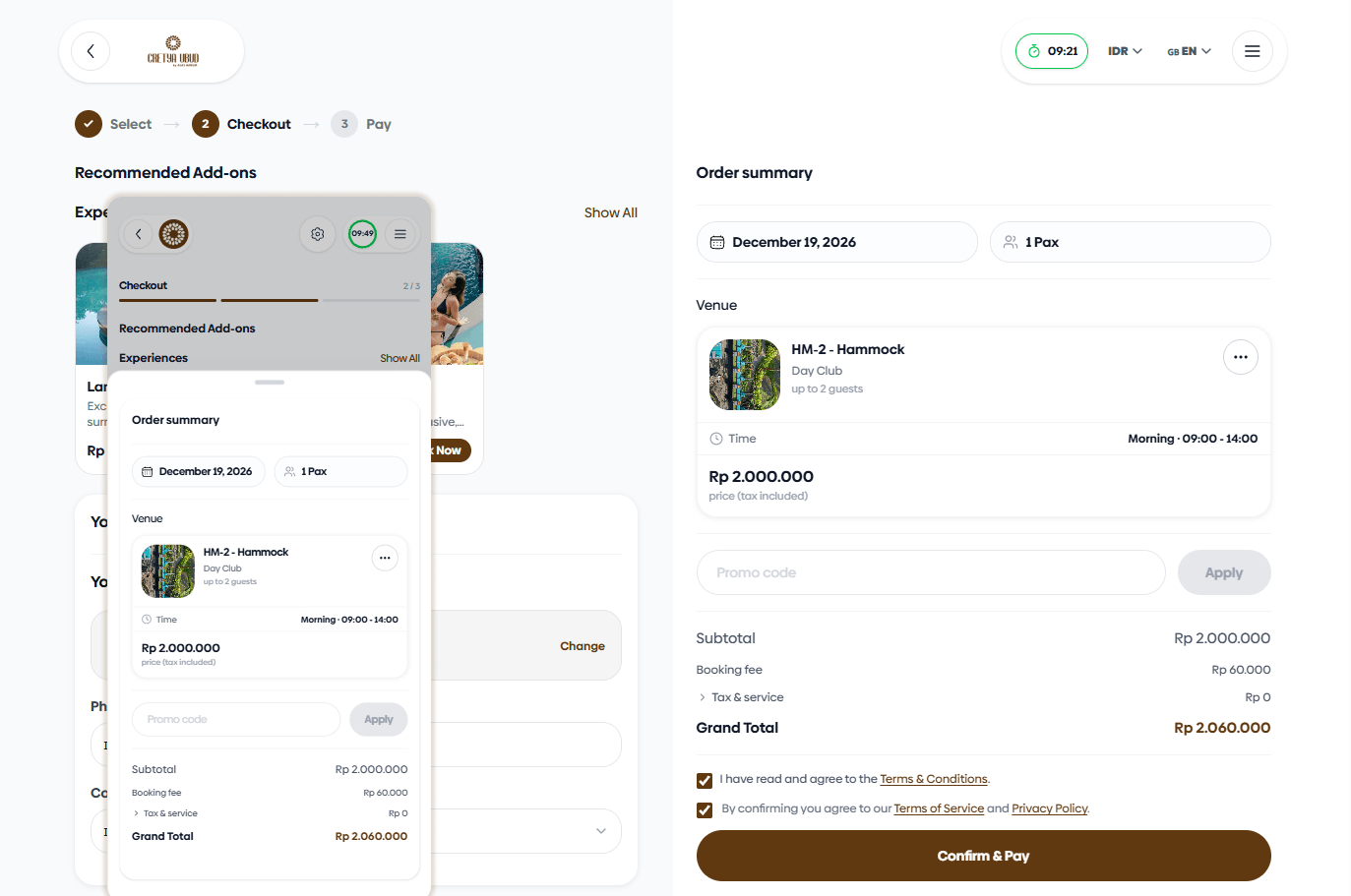
Guests apply a promo code and review the discount, tax and service charges before payment. Packages and your checkout questions appear here too, with add-ons when enabled.

Confirmation by email, plus SMS when switched on, QR entry passes and an invoice right away. Guests find their booking with a one-time code, so the front desk answers fewer messages.
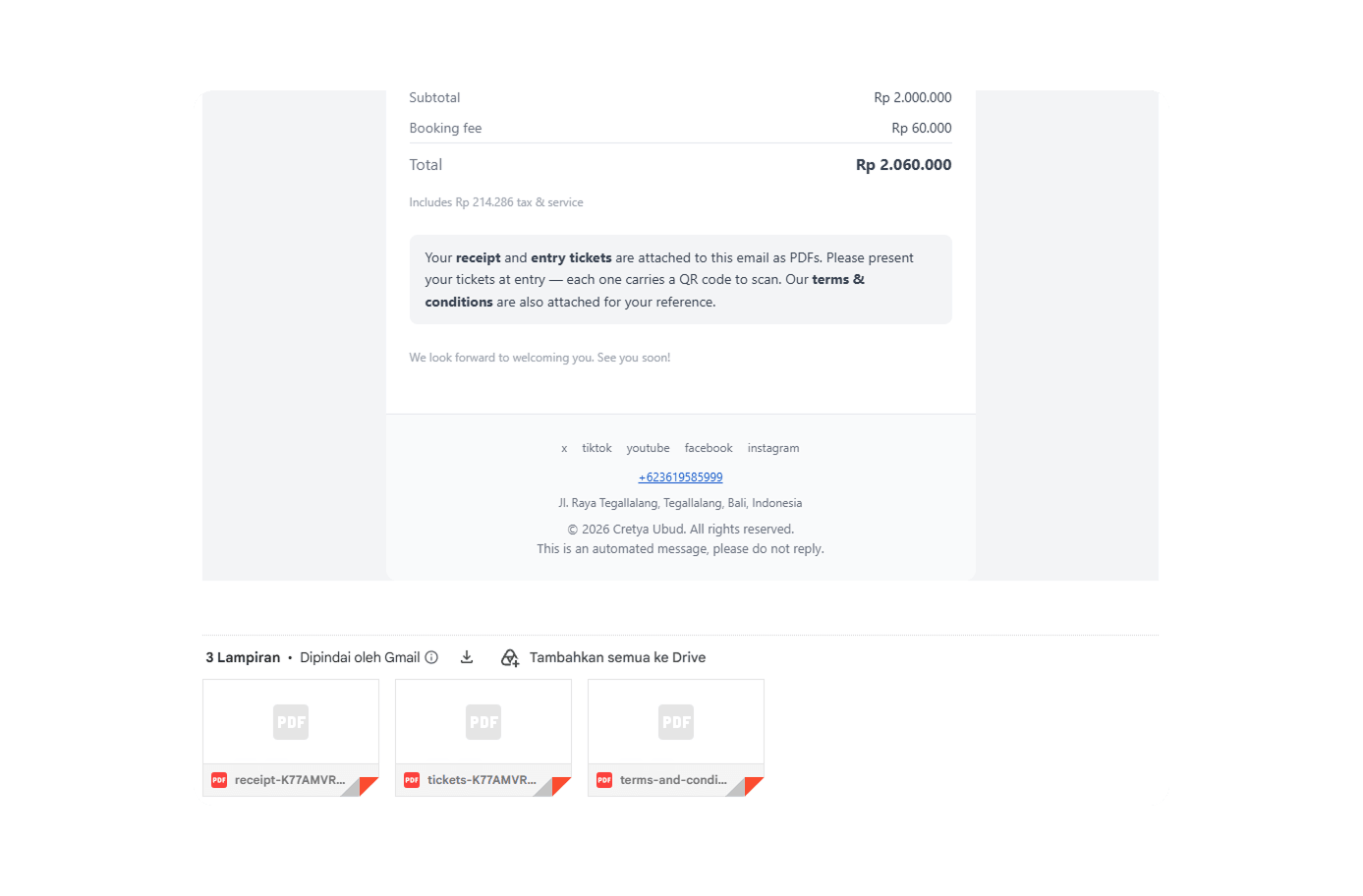
Run the booking site on your own domain with your logo, colours and theme, in 11 languages. Connect your GA4, Tag Manager and Meta Pixel.
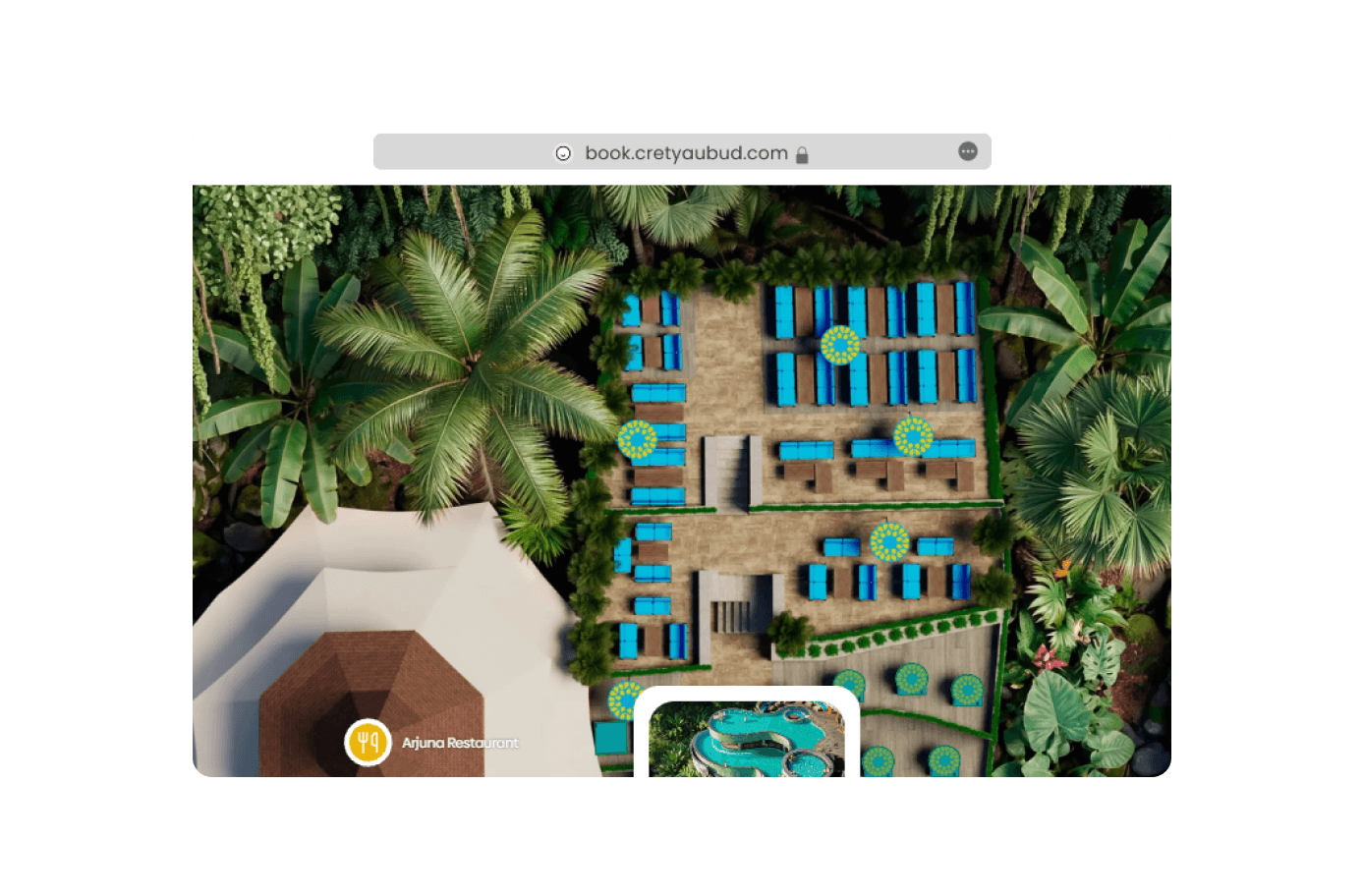
Help guests book, pay and arrive, with less follow-up for your team.
The floor map your guests book on is the one your team works from. Draw it once, then handle bookings, walk-ins, pricing and check-in without switching tools.
Core comes with every setupPer venue switched on during setup when you need it
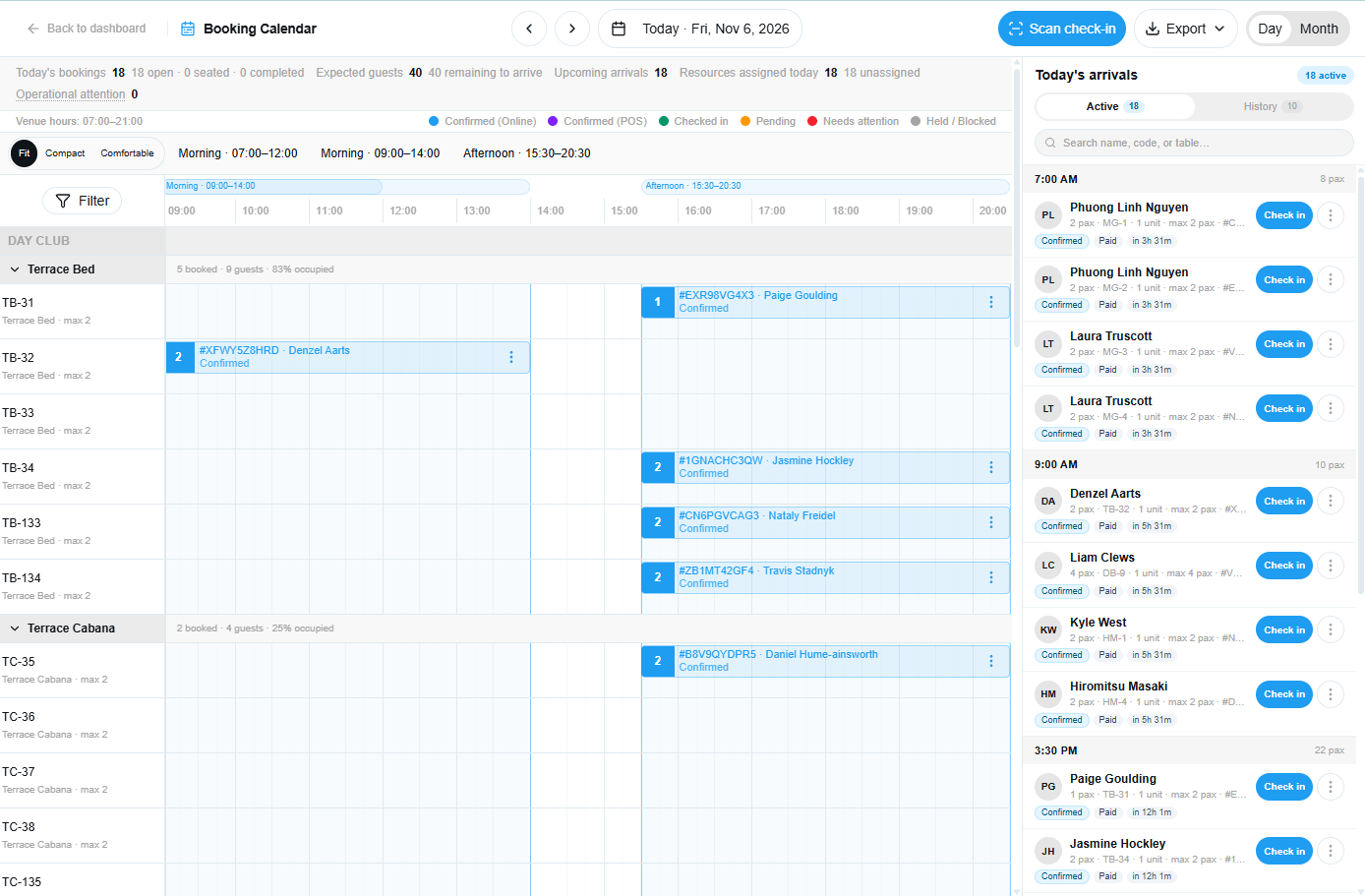
One platform, and an easier shift for each person on your team. Choose a role to see what changes for them.
Megavenue follows every rupiah, baht or dollar from the guest’s payment to your bank account, and back again when you refund.
Start with tables and promotions. Add more ways for guests to book and return when you’re ready.
Publish a signup page, collect guest details, offer admission tiers and email each guest a QR pass for check-in.
Offers on the floor map, at checkout or both, with dates, countdowns, minimum spend and redemption limits.
Sell classes, tours or experiences, with capacity limits, bundle pricing and seats held back for walk-ins. Add-on products sell alongside bookings.
Connect Megatix to sell event tickets next to tables, and publish recurring artist line-ups, each with its own booking link.
Membership plans with recurring pricing. Guests subscribe and pay online; you manage members in one place.
Promoters share their own links and guest lists. Bookings attributed to them earn commission, calculated for you. Partners get a portal in your branding.
“Guests now pick their own daybed or table straight from the map, and pay before they arrive. Our team spends less time on WhatsApp and more time looking after guests on the day.”

Here’s what changes when bookings move from chats and spreadsheets to Megavenue.
| Task | Spreadsheets and WhatsApp | Megavenue |
|---|---|---|
| Choosing a table | Guest asks in chat, staff check a sheet and reply | Guest picks it on your floor map, with live availability |
| After hours | Bookings wait until someone replies | Guests book without waiting for staff to reply |
| Taking payment | Bank transfer, then a screenshot to verify by hand | Card, e-wallet, bank transfer or QR, confirmed automatically |
| Orders by chat | Collect details in chat, then wait for a transfer screenshot | Build the order at the POS and send a payment link |
| Double bookings | Easy to happen when several people edit the sheet | A booked table shows as taken for everyone, straight away |
| Walk-ins | Written on paper, typed up later | Sold at the door from the POS, on the same timeline |
| Check-in | Names ticked off a printed list | QR scan at the door and a live seats board |
| Changes and refunds | Manual transfers and long message threads | Transfer, reschedule or request a refund in a few clicks |
| Settlement and reports | Reconciled by hand at month end | A payslip per settlement, with XLSX and CSV exports |
Your guest data stays yours. Connect payments and analytics during setup, with ticketing and SMS when enabled.
Protection for your team’s accounts and your guests’ data.
Connect services during setup. Use the Open API for supported integrations.
Open API: connect availability, bookings, passes, memberships and zones to your own systems.
Sell in your currency and in your guests’ language.
Nothing upfront and no fixed bills in quiet months. We set up your venue with you, so you’re live in days.
We set up your venue, zones, table types, packages and prices with you, at no cost.
Your team learns the dashboard, POS and door check-in before you go live.
Technical support after you go live. Reach our team on WhatsApp or by email.
Can’t find your answer? Our team replies on WhatsApp and email.
Day clubs, beach clubs, night clubs, restaurants, cafés, rooftop bars, lounges, pool clubs, sports and padel clubs, activity venues and event venues: anywhere guests book a table, bed, booth or space. We set up table types that match how your venue sells.

See Megavenue running on a floor map like yours. Fill in the form and we’ll set up a demo and send you a pricing plan.
* Have a question or need assistance? Fill out the form above, and our team will get in touch with you shortly. Don’t forget to complete all required fields (*) for a smooth process!



See your own layout as an interactive floor map, with payments and settlements built in.

Interactive floor-map booking, POS, payments and settlements for day clubs, beach clubs, night clubs, restaurants and more.
Operated by PT Megatix Systems Indonesia